






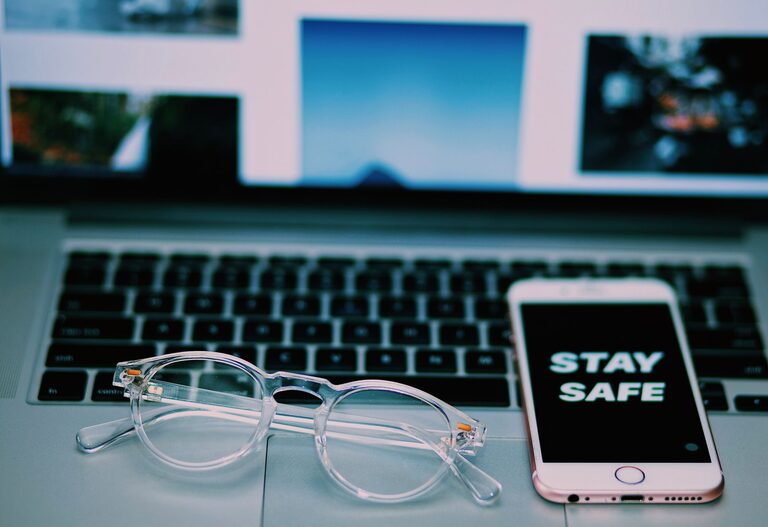
Keeping your phone and keyboard clean is essential not only for hygiene but also to maintain the functionality of these frequently used devices. Over time, dirt, oils, and germs accumulate on their surfaces, which can affect performance and potentially contribute to illness. However, cleaning electronic devices requires care to avoid damage. This guide will walk you through safe and effective methods to clean your phone and keyboard.
Why Regular Cleaning Matters
Phones and keyboards are among the most touched objects in daily life. Studies show they harbor more germs than many common surfaces. Regular cleaning helps:
– Reduce the risk of transferring bacteria and viruses
– Prevent buildup of grime that can interfere with device operation
– Extend the lifespan of your devices
– Maintain a pleasant appearance
General Safety Tips Before You Start
Before cleaning your phone or keyboard, keep these points in mind:
– Always power off your device and unplug keyboards if wired.
– Avoid getting moisture into openings such as speaker holes, charging ports, or between keys.
– Use gentle, non-abrasive materials.
– Do not use harsh chemicals like bleach or ammonia.
– If using liquids, apply them to a cloth—not directly onto the device.
How to Clean Your Phone Safely
Phones have sensitive screens and hardware that require careful cleaning.
What You'll Need
– Microfiber cloth (lint-free)
– Isopropyl alcohol (70% or less) or screen-safe cleaning solution
– Cotton swabs
– Soft brush (optional)
Step-by-Step Cleaning Process
- **Turn Off and Unplug Your Phone**
To prevent damage or accidental commands, switch off your phone and unplug any cables.
- **Remove the Case**
Take off your phone case and clean it separately according to its material.
- **Wipe the Screen**
Lightly dampen a microfiber cloth with isopropyl alcohol or a screen-safe cleaner. Gently wipe the screen using circular motions. Avoid excessive moisture.
- **Clean the Back and Sides**
Use the same cloth or a lightly moistened cotton swab for tight spots like buttons or camera lenses.
- **Dry Thoroughly**
Use a dry microfiber cloth to remove any remaining moisture.
- **Clean Your Phone Case**
Depending on the case material (silicone, plastic, leather), wipe it with appropriate cleaners or soap and water and let it dry completely before reassembling.
Additional Tips
– For phones with water resistance, verify manufacturer guidelines before cleaning.
– Avoid using window cleaners or household sprays.
– Consider cleaning your phone daily or every few days, especially during flu season.
How to Clean Your Keyboard Safely
Keyboards accumulate dust, crumbs, and oils from fingers that can interfere with typing and hygiene.
What You'll Need
– Soft brush (a small paintbrush or keyboard brush)
– Isopropyl alcohol (70% or less)
– Cotton swabs or foam swabs
– Microfiber cloth
– Compressed air can (optional)
Step-by-Step Cleaning Process
- **Unplug or Turn Off Your Keyboard**
Disconnect wireless keyboards or shut down your computer before cleaning.
- **Remove Loose Debris**
Turn the keyboard upside down and gently shake or tap to dislodge crumbs and dust.
- **Use Compressed Air**
Spray compressed air between the keys to remove dust stuck inside. Hold the can upright and use short bursts.
- **Brush the Surface**
Use a soft brush to sweep dust and debris from between and around keys.
- **Clean the Keycaps**
Lightly moisten a microfiber cloth or cotton swab with isopropyl alcohol. Wipe the keycaps gently, focusing on areas with visible grime.
- **Deep Cleaning (Optional)**
If your keyboard has removable keycaps, carefully remove them following manufacturer instructions and soak them in warm soapy water. Let them dry completely before replacing.
Additional Tips
– Avoid pouring liquids on the keyboard.
– Regularly clean your keyboard weekly or biweekly.
– Wash hands before using your keyboard to reduce buildup.
Maintaining Clean Devices Daily
In addition to regular cleaning sessions, these habits help keep your phone and keyboard cleaner for longer:
– Wash your hands regularly.
– Avoid eating near your keyboard or phone.
– Use a screen protector and keyboard cover if possible.
– Store devices in clean, dry places.
Conclusion
Cleaning your phone and keyboard safely is straightforward when you use the right materials and follow precautions. Regular maintenance not only promotes better hygiene but also helps your devices perform at their best. With this guide, you can confidently keep your gadgets clean and in good condition without risk of damage.